LaneCue User Manual
Broadcast-only graphics, live timing overlays, and OBS automation for competitive swimming and diving.
Welcome to the LaneCue user manual (version 0.7.0).
Important
Broadcast-only scope: LaneCue is a broadcast graphics and automation tool. Hy-Tek Meet Manager remains your official results and scoring system, and any connection to a Colorado Time Systems (CTS) console is strictly read-only.
Start here #
Choose the path that matches what you need today:
- First time setting up? Start with Getting started to download
LaneCue.exe, launch the local server on port4780, and tour the built-in Demo Meet. - Activating a license? See Licensing & activation for tier details, offline 30-day leases, and seat transfers.
- Preparing for meet day? Follow Preparing a meet, Camera & pool calibration, OBS setup, and Timing (CTS) setup.
- Something not working? Jump straight to Troubleshooting or check the FAQ.
Operator workspace overview #
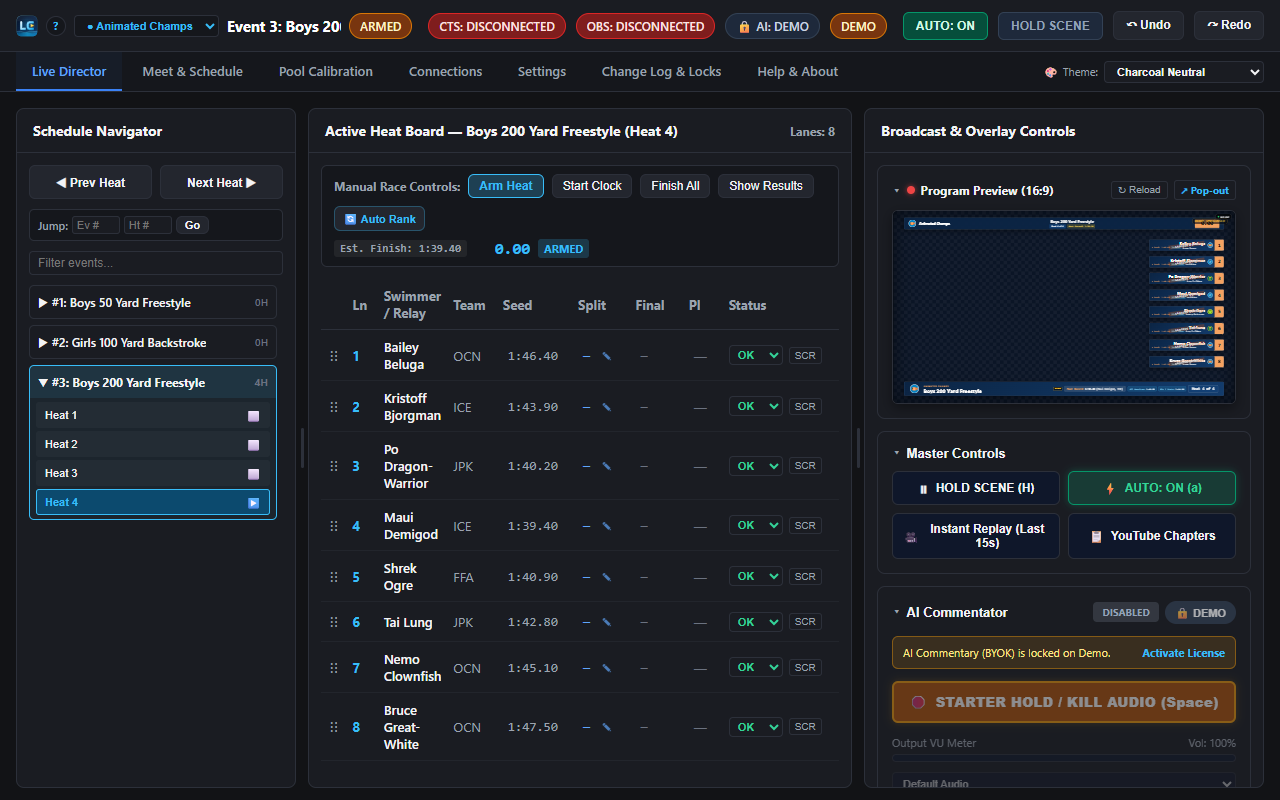
The Operator UI is organized into seven top-level tabs:
- Live Director — Run heats, monitor race phases, switch OBS scenes, and trigger overlays.
- Meet & Schedule — Create meets, load the Demo Meet, import heat sheets, and edit heats or lanes.
- Pool Calibration — Align 3D perspective lane overlays to your pool camera.
- Connections — Configure 🎥 OBS Broadcast, ⏱️ Timing Console (CTS), and 🎙️ Live AI Commentary.
- Settings — Configure 🎨 Theme & Branding, 📊 Standards & Folders (including Diving Rules & DD tables), 🌐 Server & Port, 🐛 Error Reporting, and 🔑 License.
- Change Log & Locks — Review edit history, undo/redo changes, and inspect locked fields.
- Help & About — View diagnostics, check for updates, open this offline manual, or contact support.